Instructions for the video
Write one set of video instructions around the buyer’s question, the evidence needed, and the planned shots.
Short AI product video drafts
Aisle writes video instructions based on your listing plan. Generate a 5–15 second 768P draft with built-in sound from text or a source image, then check the movement, sound, and product details.
A bounded production tool
Aisle generates one short video draft from the instructions in your listing plan. Edit the video or record a voiceover separately if needed.
Write one set of video instructions around the buyer’s question, the evidence needed, and the planned shots.
Create from text alone or use one approved image as the starting frame for image-to-video.
Choose an integer duration from 5 to 15 seconds and a supported aspect ratio; output is 768P with native generated sound.
Inspect, approve, reject, regenerate, download, or cancel while the provider still reports the job in queue.
Plan, generate, verify
The real product and its verified facts remain the review standard throughout the workflow.
Define the buyer concern, selected angle, proof requirements, storyboard, statements to verify, and video instructions.
Generate from text or select an approved product image as the starting frame after confirming usage rights.
Choose 5–15 seconds and a supported horizontal, square, or vertical aspect ratio before confirming the credit quote.
Aisle submits the 768P MiniMax H3 job and restores the result through reconciliation if necessary.
Check movement, generated sound, invented details, product form, color, packaging, and included pieces.
Example video brief
Use a reference photo to plan the shot, then compare the draft with the stand’s actual hinge, finish, and shape.
Short-video planning context
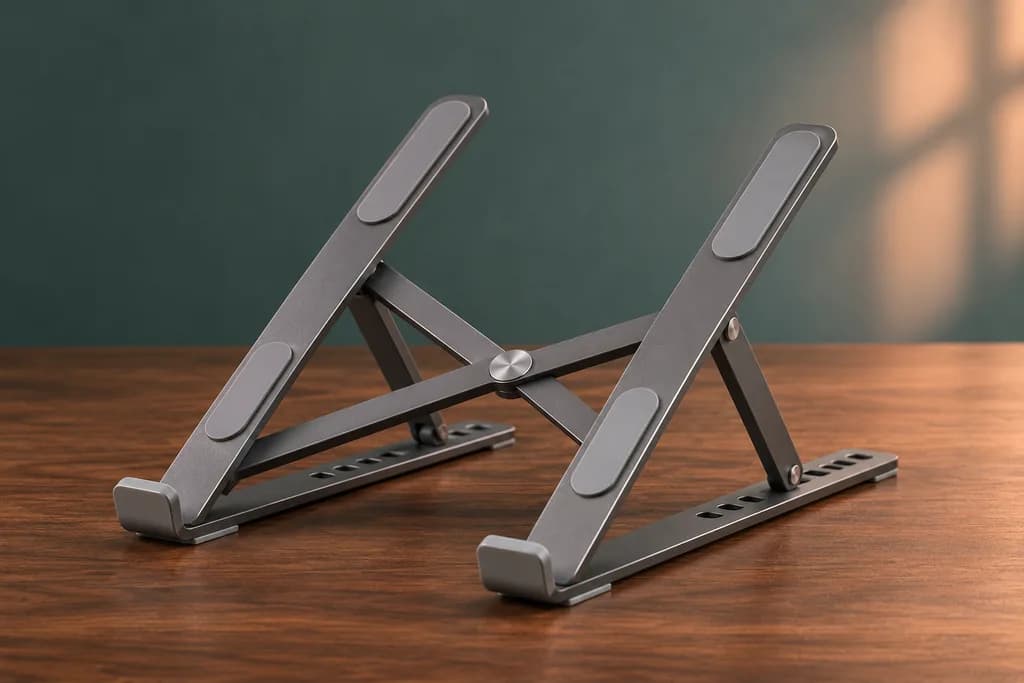
Show one clear transition from folded to open so the mechanism is easier to understand.
One seller-owned image showing the correct hinge, finish, pads, and included product.
Five seconds, vertical format, 768P with native sound, restrained camera motion, and no added accessories.
Reject the draft if the hinge, adjustment positions, finish, proportions, or included pieces differ from the real stand.
Short draft, not finished production
Check the movement, sound, and product details before using a generated video.
Current video output is a single 5–15 second 768P MiniMax H3 draft with native generated sound.
Aisle does not assemble all storyboard shots into an edited sequence or provide separately authored voiceover, music, captions, or final graphics.
The video generator creates product drafts. Videos with presenters, avatars, testimonials, or customer reviews require separate production.
Source rights must be confirmed, and model-created movement or details require manual verification.
Aisle does not guarantee platform acceptance, product fidelity, uniqueness, engagement, or sales.
Next step
Build the listing plan first, then compare the short video draft with the actual product before using it.